
Support/Resources/How do I make claims match our agency's writing style?
How do I make claims match our agency's writing style?
Jul 5, 2026
Every agency has preferred SR&ED tone, structure, and risk posture. Custom Instructions teach the pipeline those preferences so new drafts start closer to your standard—and claim-level notes can still override for a specific client.
How to use
- Decide the right level:
- Agency — Settings → Agency → Custom Instructions (shared baseline for the agency).
- Personal — Settings → Personal → Custom Instructions (your defaults; override agency when set).
- Claim — claim Details → Custom Instructions (highest priority for that claim).
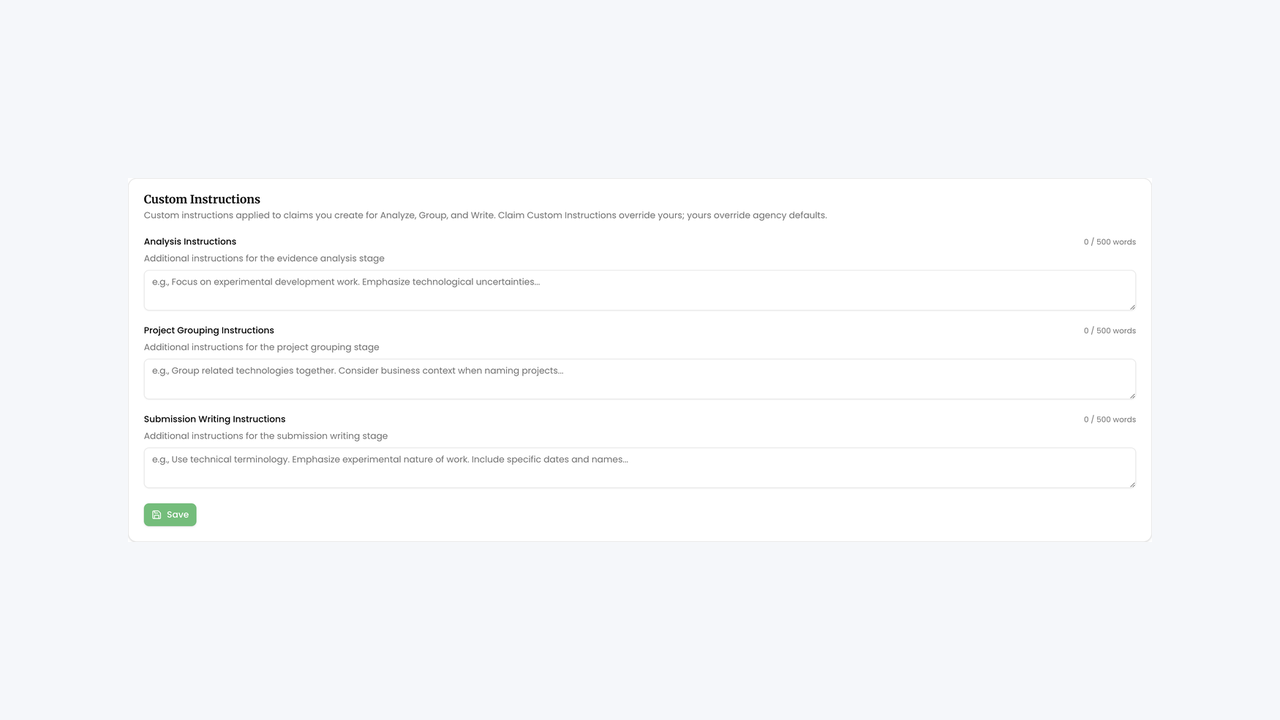
- Fill the fields you need (each has a 500-word limit):
- Analysis Instructions
- Project Grouping Instructions
- Submission Writing Instructions
- Click Save.
- Re-run only the stage those instructions should affect—for example Write Submission Again after changing writing style, or Group Again after changing grouping guidance. Confirm dialogs explain what will be overwritten; use version restore if needed.
- Optionally adjust claim Advanced Settings → Analysis Tolerance (Lenient / Moderate / Strict) when eligibility sensitivity should change with style.
- Spot-check the new draft on Submission, then finish with manual edits or the AI Claim Assistant.
Related
Next article
How do I prepare financials for filing?