
Support/Resources/How do I prepare financials for filing?
How do I prepare financials for filing?
Jul 4, 2026
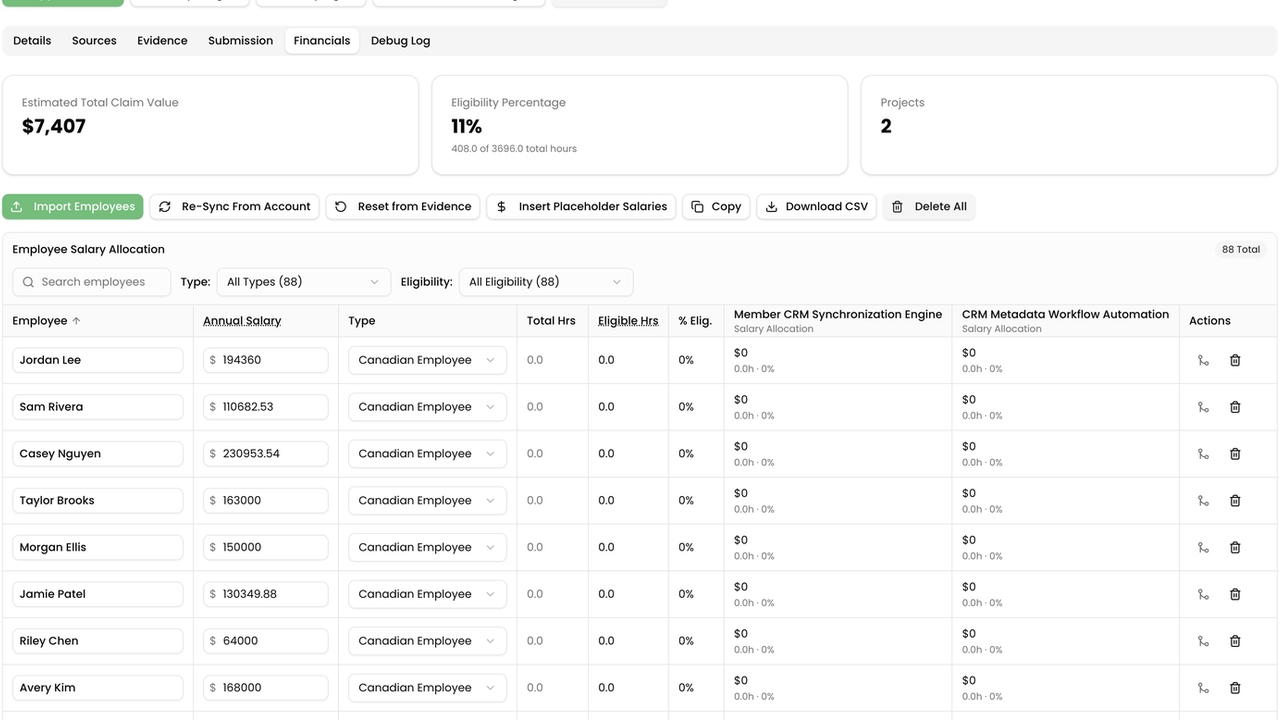
Narrative alone does not file a claim. Financials turns eligible hours and salaries into an estimated claim value so you can cross-check worksheets before you approve.
How to use
- Open the claim → Financials.
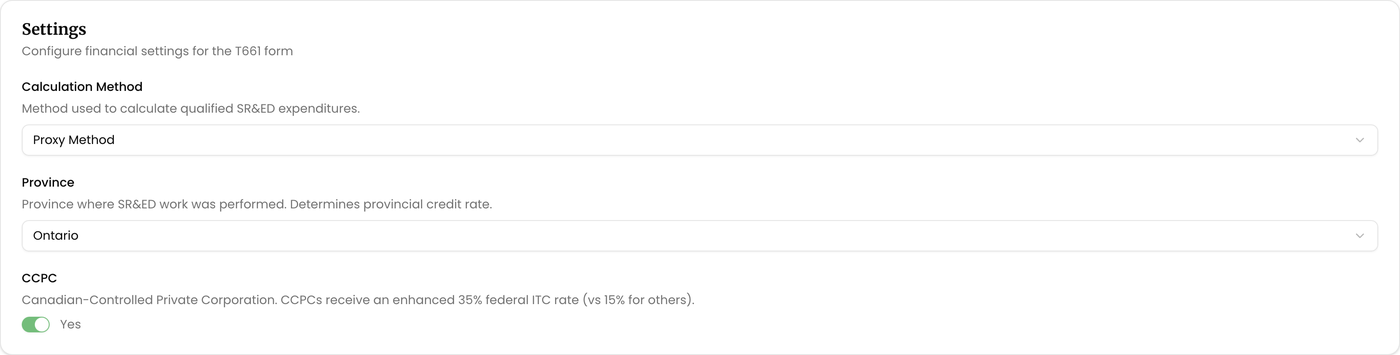
- In settings, confirm Calculation Method (Proxy Method), Province (or No Provincial Credit), and the CCPC toggle when the client is a Canadian-Controlled Private Corporation.
- Review summary metrics such as Estimated Total Claim Value, Eligibility Percentage, and Projects.
- In the employee grid, verify names, types (Canadian Employee, Canadian Contractor, Other), hours, and annual salaries used for T661 calculations.
- Fix fragmented names with merge/split, and load missing pay data with Import Employees or Re-Sync From Account as needed.
- Use grid Copy or Download CSV when moving numbers into your filing worksheets, then return to Approve Claim when both Submission and Financials are ready.
Related
Next article
How do I fix duplicate employee names on timesheets?