
Support/Releases/Financials Tab: Automated Expenditure Calculations
Financials Tab: Automated Expenditure Calculations
Feb 14, 2026
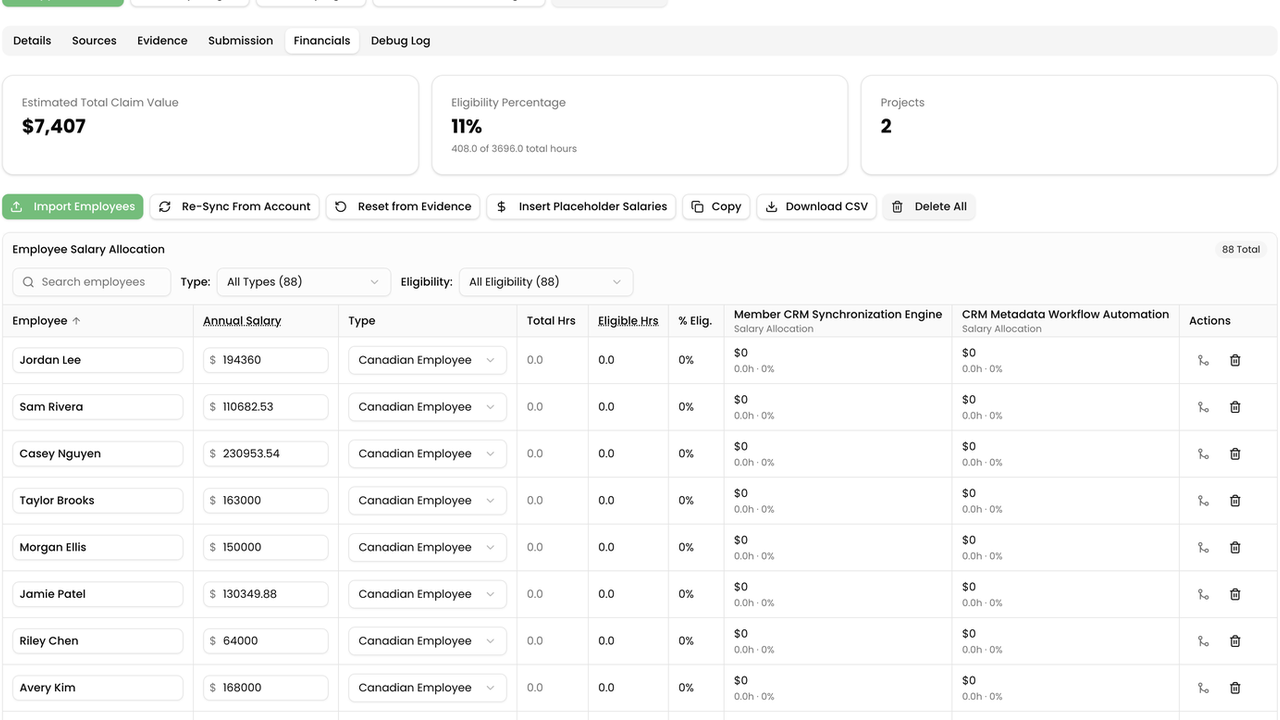
A new Financials tab calculates SR&ED-eligible expenditures directly from timesheet data, including a full staff/salary breakdown by project, province-specific claim percentage selection, and project timeframes derived from worklog history (with manual override). Individual fields and full project summaries can be copied directly for use in filing documents. This reduces the manual spreadsheet work typically required to reconcile hours and salaries into a claimable financial figure.
How to use
- Open the claim and select the Financials tab after evidence and projects are in place.
- Under Settings, choose the calculation method, province, and CCPC status.
- Review the employee salary allocation grid — hours are derived from evidence worklogs.
- Adjust salaries, employee type, or project allocations as needed.
- Use Copy / Copy All Projects on Financials or Submission fields when preparing T661 line entries.
- On the Submission tab, confirm or override project start and end dates if the claim period needs adjustment.
Next article
In-Claim AI Chat Assistant for Submission Revisions