
Support/Resources/How do I fix duplicate employee names on timesheets?
How do I fix duplicate employee names on timesheets?
Jul 3, 2026
The same person often appears under slightly different names across Jira, payroll, and uploads. Unmerged rows split hours and distort estimated claim value. Merge aliases into one employee before you file.
How to use
- Open the claim → Financials.
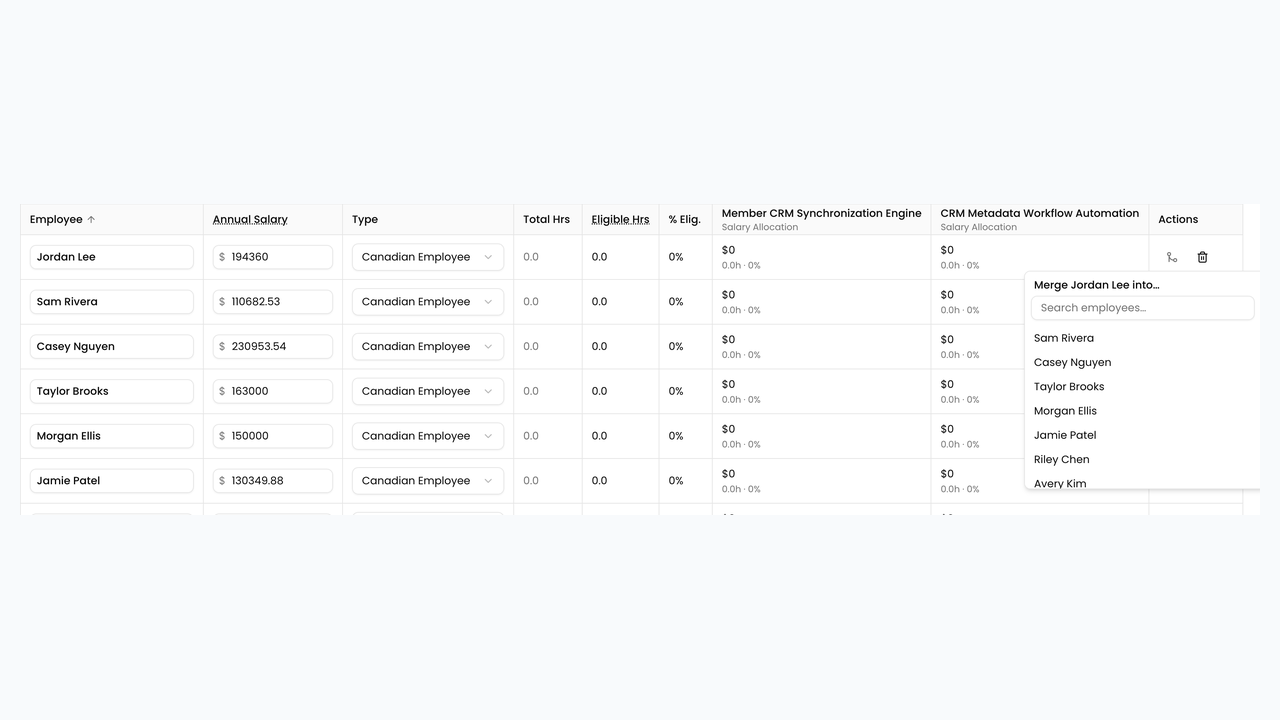
- Scan the employee grid for near-duplicate names (spelling variants, email-style handles, or first/last order differences).
- On a duplicate row, open the merge menu and choose Merge {name} into… the canonical employee row.
- Confirm the target row shows Merged into this row (or equivalent) and that hours roll up as expected.
- If a merge was wrong, use Split {alias} into separate row to undo the alias mapping.
- Re-check Estimated Total Claim Value and salaries after merges, then continue filing prep.
Related
Next article
How do I get salaries into the claim?