
Support/Releases/Public Launch of SREDr
Public Launch of SREDr
Jan 15, 2026
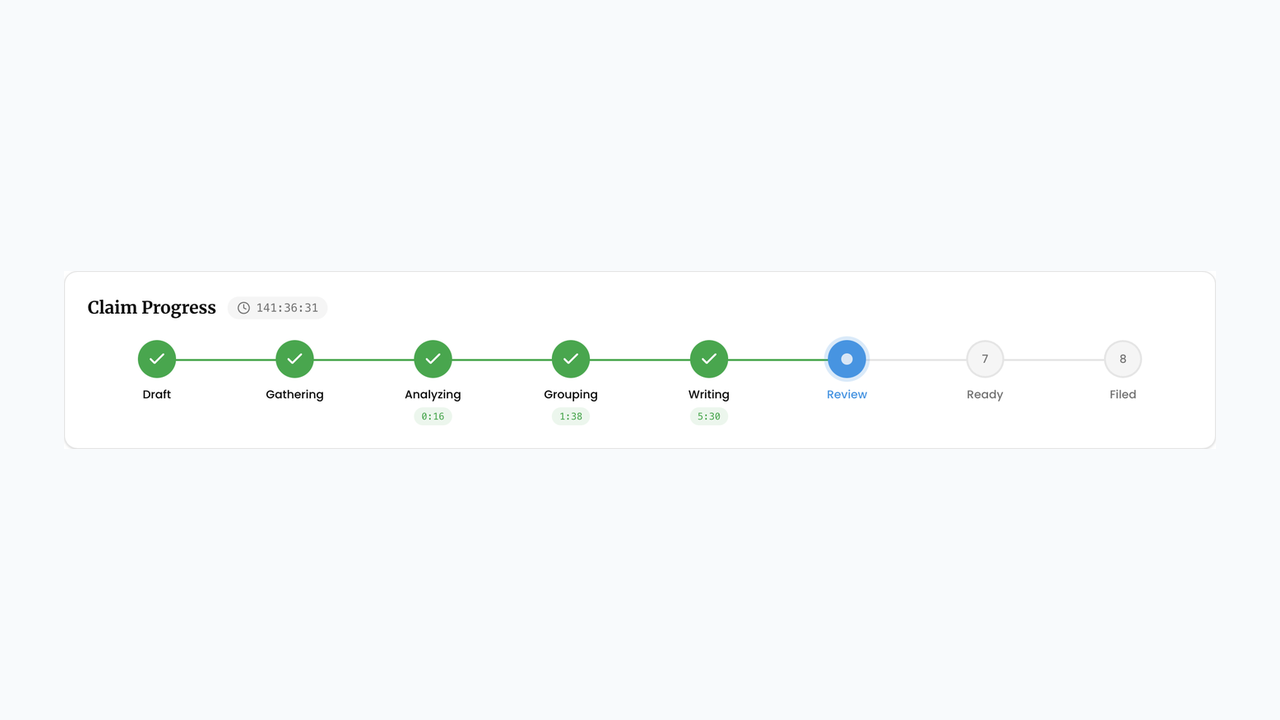
SREDr officially launched, giving tax consultants a single home to manage every SR&ED claim from first evidence to final filing. A live pipeline view shows exactly where each claim stands — gathering, analyzing, grouping, writing, or ready for review — while one-click source connections and drag-and-drop uploads replace the manual busywork of hunting down evidence. What used to take a patchwork of scripts and spreadsheets now runs end-to-end from a single dashboard, so consultants can manage more clients with less overhead.
How to use
- Open Claims and create a new claim for the client account and fiscal period.
- On the claim’s Sources tab, connect issue trackers or upload evidence files.
- Click Start Gathering (or Generate) to run the pipeline.
- Watch the Claim Progress strip as the claim moves through gathering, analyzing, grouping, writing, and review.
- Use the claim tabs (Details, Sources, Evidence, Submission, Financials) to review each stage before approving.
Next article
Connect Lark — Tasks and Wiki Docs as Claim Evidence